

Integrating with ConnectWise and Autotask

If you manage a Google Workspace domain, you will be very familiar with Organizational Units (OUs) and how they can be used to group users together, making managing a large number of employees significantly easier.
But, one of the disadvantages we found when using OUs was that, inherently, they were very structured and hierarchical – A user could only belong to one OU at a time.
If a user was in the Marketing OU, they would have access to all the shared Marketing resources. But, if you wanted to add the Marketing Team Lead to another “Manager” OU so you could assign a more complex offboarding policy, they would lose access to the Marketing resources. Far from ideal. Far from flexible.
So, we created a way to give you the flexibility to group users together, without breaking your OU structure, whilst assigning bespoke workflows and automations to meet the requirements of their role. We call these group types Smart Teams.

Let’s take a look at a “Manager” Smart Team, as an example, and explore some of the cool things you can do in CloudM:
- You can make the Smart Team dynamic and set it so users that have a tag added to their profile (e.g. Manager) will be added to the group automatically.
- You can set a bespoke Email Signature template for all Managers. For example, you may wish for your Management Team to have their personal LinkedIn accounts displayed instead of the company account.
- You can automatically share access to Management calendars and documents.
- You can set a different offboarding policy that might include additional steps (such as requiring manual confirmation or archiving data to a different Storage bucket).
- You can set a custom Security policy that requires a Manager to use a more complicated, and secure, password to access CloudM (as they are more likely to have admin access to features).
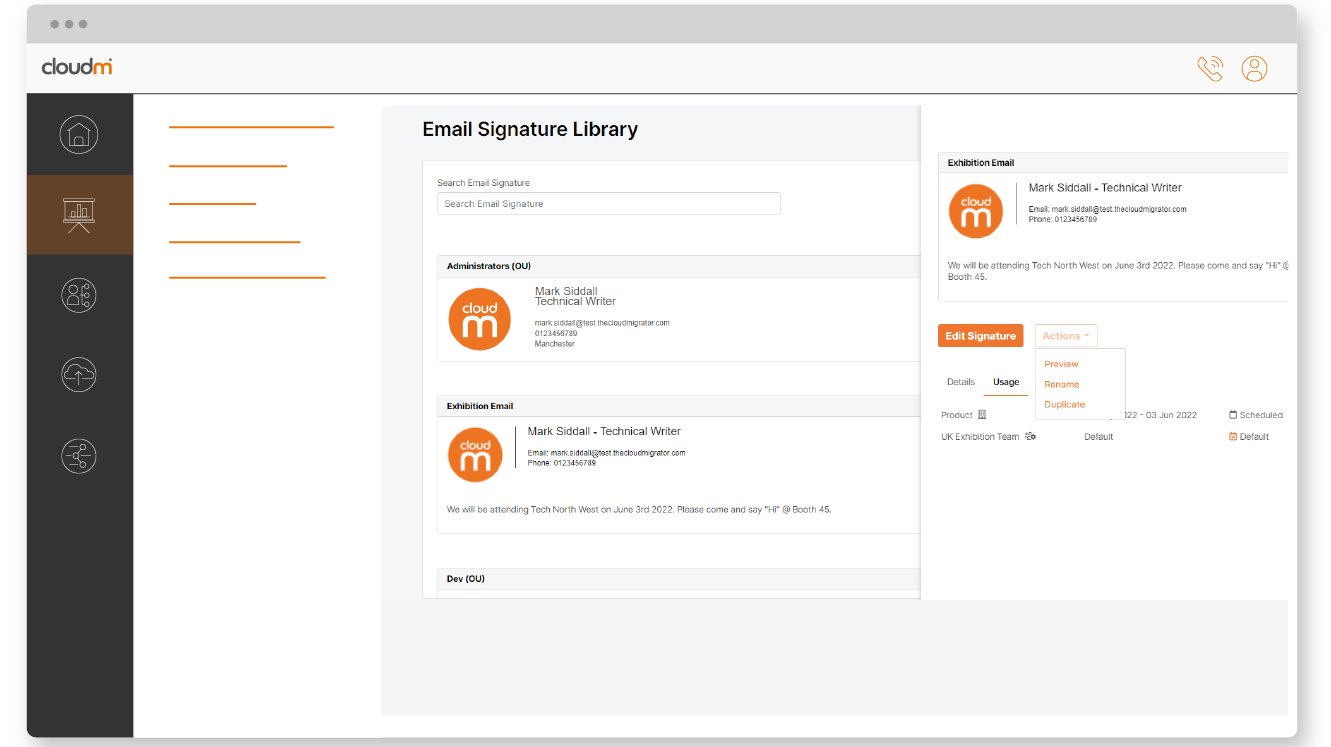
Smart Teams aren’t just reserved for creating custom policies for Management, and you don’t have to make such wholesale changes as shown on the previous example.
In fact, some of the best uses of Smart Teams are when you want to make one small change to a few policies or share resources with a select group of employees.
- You can add a custom footer to the bottom of the email signature of any user that is going to attend an event or convention, so that your customers, partners and suppliers that are attending know you will be there.
- You can share calendars and documents with all your First Aiders, regardless of location or department.
- You can set a quicker, less detailed offboarding policy for all temporary/seasonal staff.
Want to find out more?
Check out our Smart Teams video on YouTube and visit our CloudM website, or book a 15 minute discovery call to speak to one of our brilliant team.