


Keepit 10.27.0: Planning Salesforce Restores Without Storage Surprises
NACVIEW 3.0.3: A More Connected Approach to Everyday Network Access Control
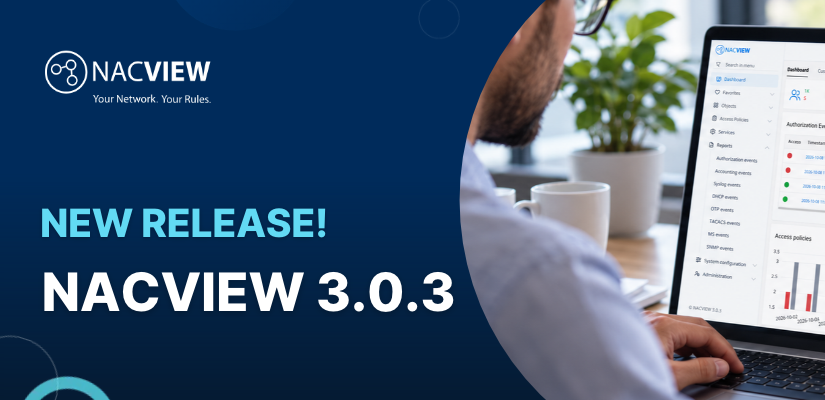
Network access control (NAC) is easiest to appreciate when it quietly solves the small problems that otherwise interrupt a working day: a new laptop that cannot get online, a visitor who needs temporary Wi-Fi, or an unmanaged device appearing on a switch port. NACVIEW 3.0.3 builds on that practical role with updates aimed at connecting identity information, strengthening administrator sign-in and making routine maintenance less of a guessing game.
Bring endpoint and identity records into one view
For teams already using Microsoft Intune, one of the most useful changes is the ability to import identities, administrator accounts and endpoint devices directly into NACVIEW. That can reduce the manual re-keying that creates mismatched device names, stale user records and avoidable support tickets. A helpdesk technician investigating a laptop that has lost network access can work from a more consistent picture of the user and endpoint, rather than comparing several lists maintained by hand.
Imported information is a starting point, not a substitute for housekeeping. IT administrators should confirm which identity attributes are authoritative, how often records are refreshed, and how duplicate or retired devices are handled. A short pilot with a representative group of users can reveal mapping issues before the integration is extended across the estate.
Make administrator access harder to misuse
NACVIEW 3.0.3 adds native multi-factor authentication using the Microsoft Authenticator app. This gives administrators another check at sign-in, reducing reliance on a password alone for access to a system that helps control network connectivity. It is particularly relevant for organisations where network changes are performed by a small operations team and privileged accounts deserve extra attention.
Before enabling MFA for everyone, document the enrolment and recovery process. Confirm that administrators can replace a lost or changed phone, decide how emergency access is controlled, and test the process with a small group. A security control should not turn a routine on-call handover into an account lockout exercise.
Keep notifications and troubleshooting close to the workflow
The release also adds the ability to send email through Microsoft 365 services without depending on a separate SMTP relay. For IT staff, that can simplify notification configuration where Microsoft 365 is already part of the organisation’s daily toolkit. Administrators should still validate sender permissions, delivery and any mail-flow policies before relying on alerts for operational response.
On the maintenance side, NACVIEW 3.0.3 introduces replication-status checks for Master and Slave nodes, system restore functionality and additional command-line diagnostics, including netstat, ifconfig, arping and mtr. These tools give support staff more ways to narrow down whether a problem sits with reachability, routing, replication or the host itself. Instead of jumping straight to a reboot, an administrator can collect useful evidence and choose a more targeted fix.
Plan upgrades around real network dependencies
The release includes reliability improvements across VPN and OTP, PKI, TACACS+, Captive Portal, LDAP, node replication and policy processing, as well as improvements to the upgrade process. These are important areas because network access control touches several services that users notice immediately when something goes wrong.
Before upgrading, map the authentication methods in use, identify critical switch and wireless-controller integrations, back up the current configuration, and schedule a maintenance window that includes time for validation. Test a standard employee device, a guest device and an administrator workflow after the upgrade. Check that policy decisions, portal access, notifications and replicated nodes behave as expected.
Turn NAC into a smoother user experience
For employees, a well-run NAC deployment should feel almost invisible: approved devices connect, guest access follows a clear process, and support staff can explain why a device has been restricted. NACVIEW 3.0.3’s Intune integration, Microsoft Authenticator MFA and expanded maintenance tools are useful because they address the everyday work behind that experience, not just the security policy on paper.
Organisations evaluating network access control software should assess how the platform fits their identity sources, wired and wireless infrastructure, VPN access and support processes. A focused proof of concept using real endpoint types and authentication scenarios is a sensible way to check compatibility before wider rollout.
About NACVIEW
A powerful network access control (NAC) solution designed to provide organizations with comprehensive visibility and control over their network infrastructure. Developed by leading network security company, NACVIEW offers advanced features and capabilities to ensure secure and efficient network access for users and devices.
About Version 2
Version 2 Digital is one of the most dynamic IT companies in Asia. The company distributes a wide range of IT products across various areas including cyber security, cloud, data protection, end points, infrastructures, system monitoring, storage, networking, business productivity and communication products.
Through an extensive network of channels, point of sales, resellers, and partnership companies, Version 2 offers quality products and services which are highly acclaimed in the market. Its customers cover a wide spectrum which include Global 1000 enterprises, regional listed companies, different vertical industries, public utilities, Government, a vast number of successful SMEs, and consumers in various Asian cities.
Contact us
to explore more
Schedule a demo, start a free trial, or request a quote, and more
We are here to assist you every step of the way.
- +852 2893 8860
- sales@version-2.com
- +852 9843 8129